


GeoLocator — We Link Family
4.2373.00 Reviews
App Specs
- Version
- 7.5.0
- Updated On
- License
- Free
- Downloads
- 1,000,000+
- Developer
- GeoLoc
- Categories
- Parenting
- Platform
- Android
Screenshots

 Analysis by AppCompare
I judge a family location app less by how impressive its map looks than by what happens when someone needs it in a real moment: a child is late, a pickup plan changes, or a quick message would save several calls. GeoLocator — We Link Family brings location sharing and family communication together, which can make those small coordination tasks easier. Its usefulness, though, depends on everyone understanding what is shared and having a working connection when they need to check in.
When a live connection matters
Location tools are most helpful when the people using them are online and their phones can send fresh information. If a family member is moving between places, the map can help answer a practical question without a string of texts. But I would treat any displayed position as a useful aid, not as proof of someone’s exact whereabouts at every second. Network conditions, phone settings, and whether the app can update all affect how current a location appears.
That distinction matters in ordinary situations. If I’m waiting outside a lesson or arranging a pickup, I can check the map and then use the in-app chat to confirm the plan. If the location does not seem current, a direct message is the sensible next step. A map is convenient context; it should not replace asking the person what is happening.
A practical fit for family routines
The app is aimed at parents and families who want a shared place for location awareness and conversation. I can see it suiting a household with older children who travel independently to school, activities, or friends’ homes, as long as everyone is comfortable with the arrangement. For a younger child, a parent may handle the phone, but the family still needs a clear agreement about who can see what and why.
Picture a weekday afternoon: one parent is finishing work, another is coordinating dinner, and a child is on the way home from an activity. Rather than asking for repeated progress updates, the adults can check the location and send a short message if the plan changes. The useful part is not watching every movement; it is reducing uncertainty at the moments when timing affects the household.
I would not choose a tracking app as a substitute for a conversation about safety or independence. A teenager who feels monitored may resist using it or leave location sharing off, which defeats the purpose. A quick family agreement—when location checks are reasonable, who receives alerts, and how to handle a missed update—can make the app more helpful and less intrusive.
What it offers beyond a map
The combination of a map, chat, location history, safe-zone alerts, and a panic button gives GeoLocator several different jobs. Compared with a basic messaging app, its appeal is having location context alongside family conversation. Compared with a dedicated navigation tool, its purpose is not just getting someone from one address to another; it is helping a family coordinate around shared routines.
Worth Reading Before You Choose

EA SPORTS FC Mobile 26 Is a Bigger Football Game, but It Takes Time

Flipboard Shows What News Apps Must Do Beyond the Feed

Switching to Android Auto Means Rethinking Your Driving Routine

Google Calendar Makes a Crowded Week Easier to Manage

Ludo King Makes the Most of the Minutes Between Plans

Baby Panda World Brings Quick Play to Modern Phones, but Its Game Library Feels Busy
That mix also calls for restraint. Location history can help settle a practical question about a route or arrival, but checking it out of curiosity can turn a safety tool into a source of friction. I would use history to answer a specific need rather than make a habit of reviewing every trip. Likewise, safe zones are most useful when they represent meaningful places, such as home or school, instead of creating so many boundaries that ordinary movement produces noise.
GeoLocator is developed by GeoLoc and is a free parenting app, with optional in-app purchases priced from $0.99 to $29.99 per item. It has a 4.2 average from around 20,000 ratings, and it has passed one million installs. The app is rated Teen, so parents should take that age guidance into account when deciding whether it suits a child. It first appeared on September 8, 2018, and version 7.4.3 supports Android 6.0 and later.
Using GeoLocator in everyday conditions
I look at family location tools as part of a routine, not a substitute for talking. GeoLocator can bring a map and family communication into the same check-in, but the usefulness of that setup depends on how people handle delays, phone access, and changing plans. I’d begin by agreeing on when a location check is helpful, then use that shared expectation to decide whether the app fits the family.
Setup, expectations, and communication
Have you ever wanted to keep tabs on your family without having to send a million texts asking, "Where are you now?" Well, you're in luck because I’ve been diving into an app called GeoLocator — We Link Family that might just be the solution you've been looking for. Trust me, I've given it a good whirl, and here's what I think.
First off, setting up GeoLocator is a piece of cake. As soon as I downloaded it, the app guided me through a straightforward registration process. I had to enter basic details and verify my phone number, which took all of two minutes. What I loved here is that the app's interface is super intuitive. Even if you're not a tech wizard, you'll find it easy to navigate.
In practice, I would set it up together rather than hand a child a phone with location sharing already enabled. That gives everyone a chance to see how the map, alerts, and chat fit together and to agree on a reasonable routine. A useful first test is to send a message while each person is at a familiar place, then check whether the location view is clear enough for your family’s needs. It is better to discover confusion during setup than when someone is waiting for a pickup.
Making location features useful rather than noisy
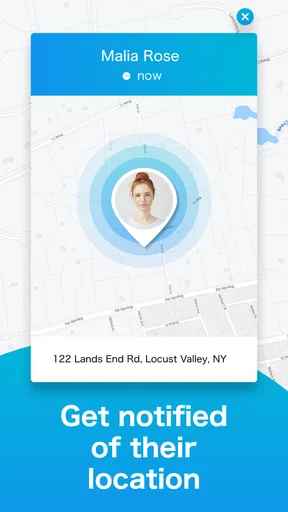
One of the coolest features in GeoLocator is the real-time location tracking. Imagine being able to see where your family members are on a map, live. It’s like having a personal GPS for your loved ones. I tested this out with my family, and the accuracy was spot on.
Even when a location looks clear, I would avoid treating a single map check as a promise that someone has arrived or is safe. For an important handoff, pair the check with a message or a call. That small habit prevents a common misunderstanding: a location can provide context, but it cannot tell you whether a person has reached the right entrance, needs help, or has changed plans.
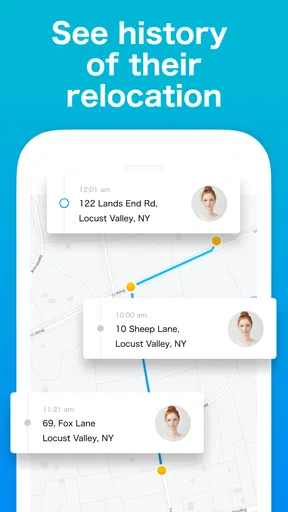
Another nifty feature is the location history. You can see where your family members have been throughout the day. This is handy for those "Where have you been?" queries. Plus, there’s a geo-fencing feature. You can set up safe zones, like around your home or school, and get alerts when someone enters or leaves those areas. It’s like having an invisible boundary that keeps you informed.
For a calmer setup, I would start with only the places that affect a real routine, then see whether the alerts are useful before adding more. If you receive too many notifications, the important ones can become easy to ignore. A safe zone should answer a simple question—such as whether a family member has reached a regular destination—not create a running commentary on every trip. Families with changing schedules may need to revisit which places matter as routines shift.
Chat, consent, and emergency use
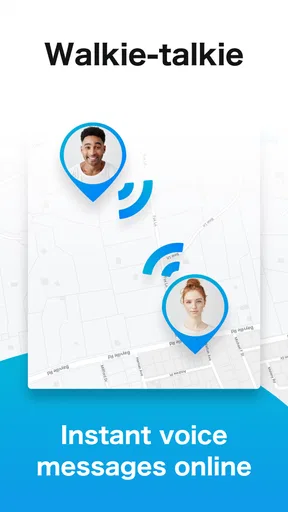
What I really appreciate about GeoLocator is its simplicity. The app isn’t bogged down with unnecessary features that complicate the user experience. Everything is neatly laid out and easy to find. I also like that it's not just about tracking; it provides a way to stay connected. There’s a chat feature that allows family members to communicate directly within the app. It’s like a one-stop-shop for staying in touch.
Keeping chat and location in one place can save a little back-and-forth, especially when a family is already using the app to coordinate. Still, I would not assume every relative will prefer another messaging channel. If a grandparent, caregiver, or co-parent is not part of the same setup, your usual phone or messaging method may remain the simpler choice. GeoLocator works best as a shared family routine, not as a reason to move every conversation into one app.
Let’s talk about privacy because I know that’s a big deal for everyone. GeoLocator takes privacy seriously. During setup, the app requests permissions that are essential for it to function, but it doesn’t overreach. You can also control who sees your location, which is reassuring. No worries about Big Brother watching you here.
I would still make privacy an ongoing family discussion rather than treating the initial settings as a complete answer. Check who is included in the circle, explain what location sharing means, and make sure a child knows how to use the communication tools. For a family member who is uncomfortable with persistent sharing, a normal check-in by message may be a better fit than asking them to participate in a tracking routine.
Plus, there’s a panic button feature. If someone in your family feels unsafe, they can press the panic button to send an immediate alert to everyone in your circle with their current location. I found this incredibly thoughtful and a feature that sets GeoLocator apart from other apps I’ve tried.
I would treat that button as an extra way to alert family, not as a replacement for emergency services or a reliable connection to help. It is worth making sure everyone knows where it is and what the alert is intended to do before anyone needs it. A brief practice conversation can prevent a child from confusing it with an everyday check-in, while also making the feature less intimidating to use if a real concern arises.
When updates are delayed or plans change
In terms of performance, GeoLocator runs smoothly. I didn’t encounter any lags or crashes, which is always a bonus. The app's notifications are timely, so you’re always in the loop without being bombarded by alerts. Battery consumption is also optimized, so it doesn’t drain your phone like other location-based apps might.
Still, the experience depends on phones being available to send and receive updates. If someone’s position stops changing, I would first try a direct chat or call instead of assuming the person is still at the last point shown. If the app is not responding, reopening it and checking the phone’s connection are reasonable first steps; for an urgent concern, use another way to reach the person rather than waiting for the map to refresh.
This is also why I would not make GeoLocator the only part of a family’s safety plan. A phone can be out of reach, a network can be unreliable, and a child may forget to check messages. Agreeing on a backup—such as a call or a known meeting place—makes the app’s convenience less fragile. The best routine has a clear next step when the digital one does not work.
One practical trade-off is that location sharing can call attention to phone settings and connectivity. Families should be comfortable troubleshooting the basics together instead of assuming the app can resolve every update problem by itself. If reliable location visibility is essential for a particular situation, confirm that the app behaves as expected during an ordinary trip before relying on it for an important pickup or handoff.
Who should choose it—and who should not
So, what’s the verdict? If you’re looking for a reliable, user-friendly app to keep your family connected and safe, GeoLocator — We Link Family is a solid choice. It balances functionality with simplicity, and the peace of mind it offers is worth its weight in gold. It’s like having a digital safety net, and honestly, in today’s world, who doesn’t need that?
I would recommend it most to families who have a practical reason to coordinate locations and who can agree on respectful boundaries. It is less compelling for people who only need occasional messages, already have a comfortable location-sharing arrangement, or would rather use a map solely for directions. If your main need is finding a lost device, navigating a route, or contacting emergency services, a dedicated tool for that job may be more appropriate than a family-centered combination of location and chat.
Give it a try, and you might find it becomes an essential part of your family’s routine. It’s available for download on both Android and iOS, and getting started is as easy as pie. Happy tracking!
Pros
- Accurate real-time location tracking.
- User-friendly interface for all ages.
- Customizable alerts for safe zones.
- Battery-efficient GPS functionality.
- Cross-platform compatibility.
Cons
- Requires constant internet connection.
- Limited features in free version.
- Privacy concerns with location sharing.
- Occasional app crashes reported.
- Ads can be intrusive in free tier.
FAQs for GeoLocator — We Link Family
What is GeoLocator — We Link Family, and how does it work?
GeoLocator — We Link Family is a family safety application designed to help keep track of your loved ones' locations in real-time. The app uses GPS technology to provide live updates on family members' whereabouts, ensuring peace of mind and enabling quick response in case of emergencies.
Is GeoLocator — We Link Family available on both Android and iOS devices?
Yes, GeoLocator — We Link Family is available for download on both Android and iOS platforms. You can find it on Google Play Store for Android devices and the Apple App Store for iOS devices, making it accessible for various types of smartphones and tablets.
How accurate is the location tracking feature in GeoLocator — We Link Family?
The location tracking in GeoLocator — We Link Family is highly accurate, leveraging GPS technology to provide precise real-time updates. However, accuracy may vary slightly depending on the user's device, network conditions, and the availability of GPS signals in the area.
What privacy measures does GeoLocator — We Link Family have in place?
GeoLocator — We Link Family prioritizes user privacy by ensuring that location data is shared only with approved family members. The app uses secure encryption protocols to protect data, and users have control over who can access their location information, enhancing overall security.
Are there any subscription fees or in-app purchases in GeoLocator — We Link Family?
GeoLocator — We Link Family offers both free and premium subscription options. The free version includes basic features, while the premium version unlocks additional functionalities such as extended location history and priority customer support. Users can choose the plan that best suits their needs.


